 Arrumo AI Video Editor
Settings, updates and privacy
What the agent may do on your computer, keeping Arrumo up to date, closing it while videos generate, and what Arrumo sends.
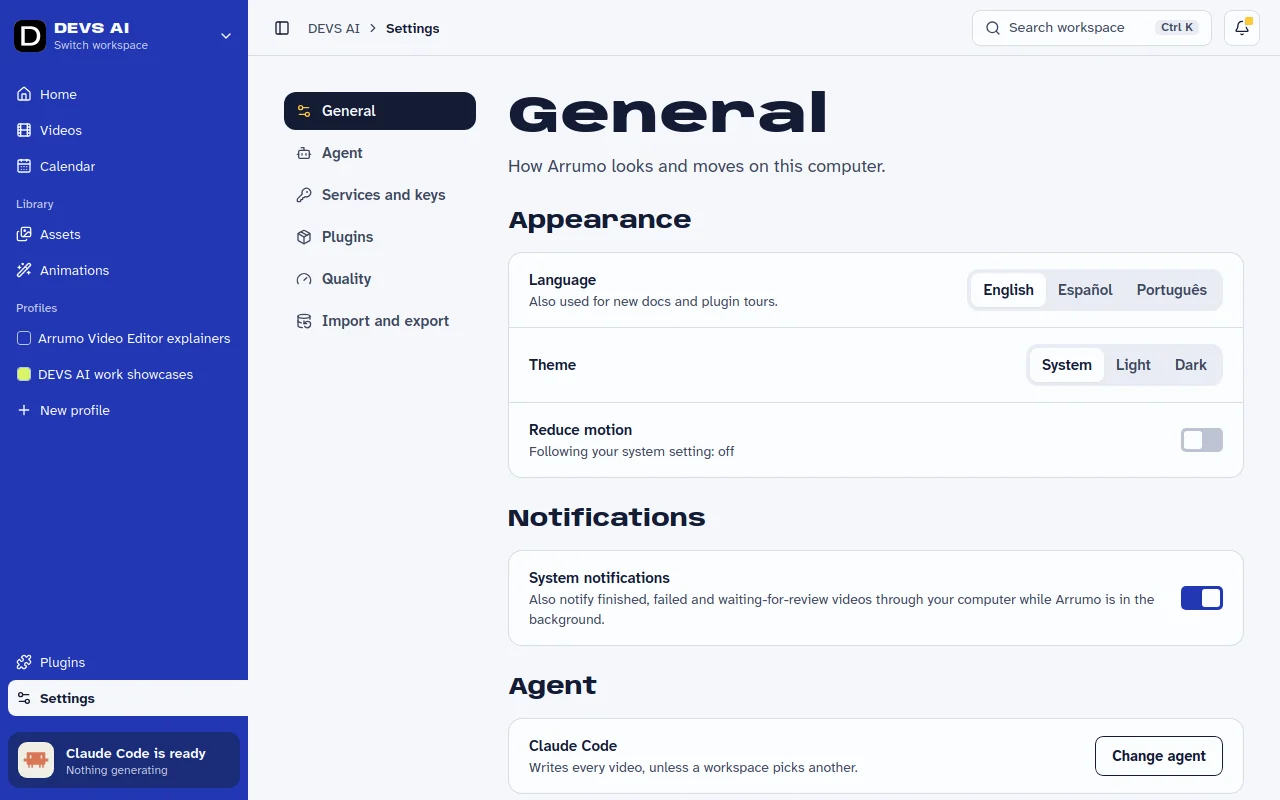
What the agent may do
The agent's options come from its plugin and appear in Settings › Agent for every workspace, or for one workspace when you pick it under Applies to.
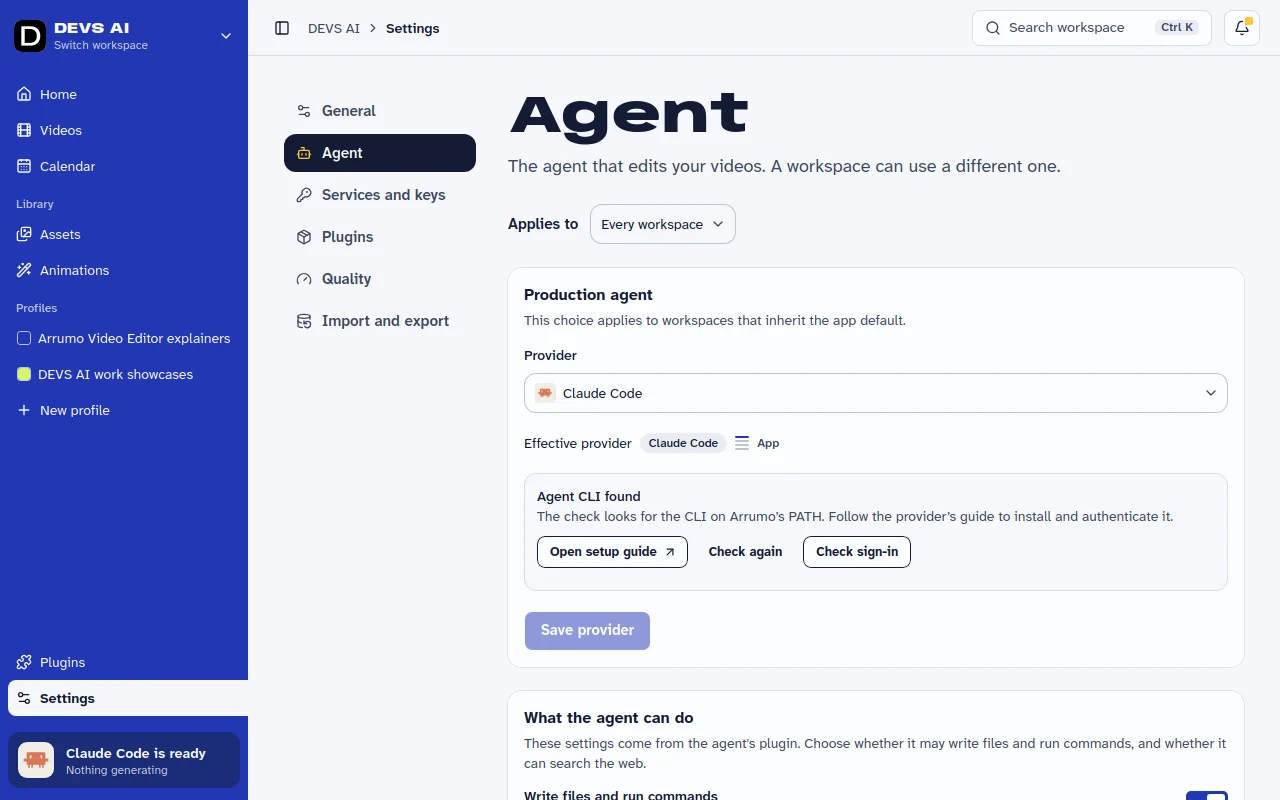
- Write files and run commands is on by default. While it works on a video, the agent can write its own scripts and files, run commands, and use the plugins, tool servers (MCP) and hooks you set up for it yourself. It works in a folder of its own for that video, next to Arrumo's data, which Arrumo deletes when the video is finished, fails or is cancelled. A warning under the switch reminds you that the agent can then change files on your computer and run programs with your account's access: keep it on only with an agent and plugins you trust. Turn it off and the agent only reads what Arrumo gives it and answers, without tools, hooks or your own setup.
- Web search lets the agent look things up on the web, for facts, prices and trends.
- Use my installed plugins appears only while Write files and run commands is off. It lets the agent use the plugins and tool servers you installed for it, which can see the workspace material the agent is given.
- Model and Reasoning effort choose how the agent thinks. Higher effort gives better scripts and edits but takes longer.
Each video keeps the options it started with, so a replay can reproduce it.
Keep Arrumo up to date
Arrumo checks for a new version a few seconds after it opens. When there is one, it shows what changed and asks:
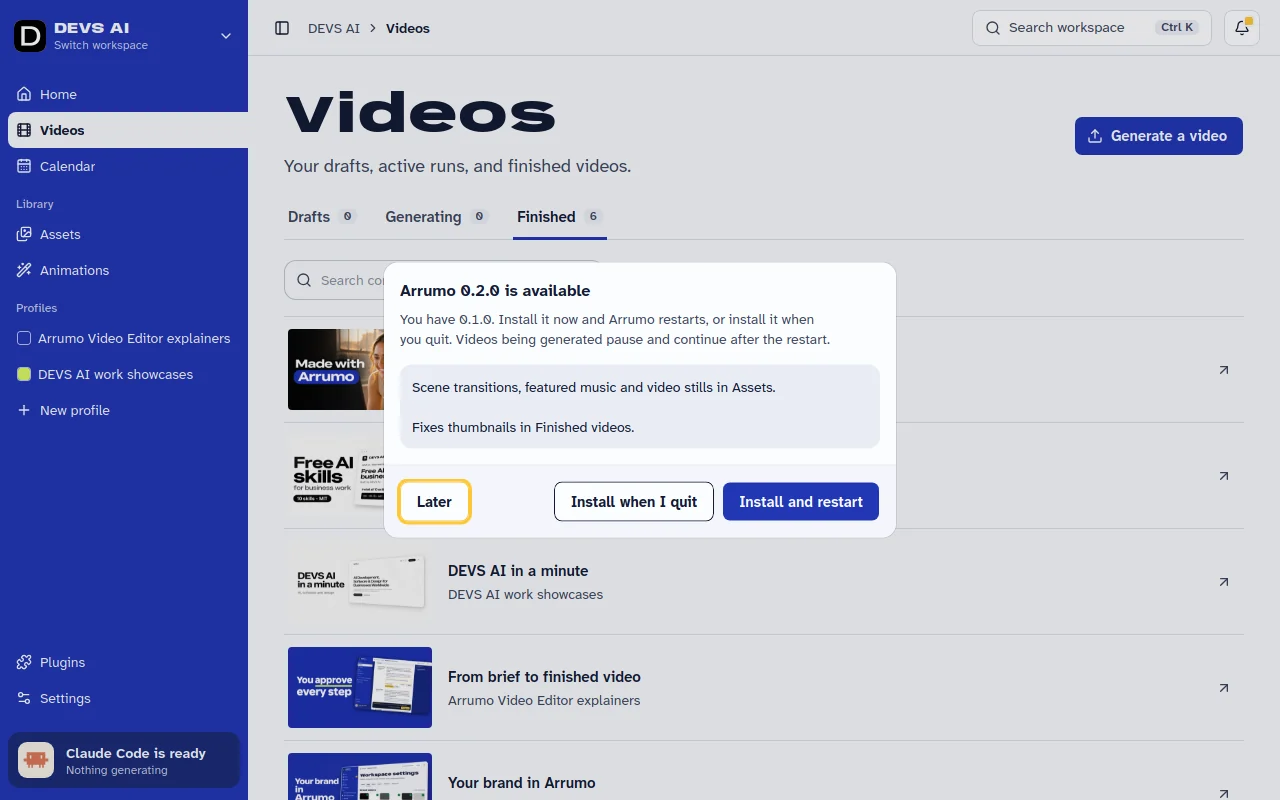
- Install and restart downloads it, installs it and reopens Arrumo. Videos being generated pause and continue after the restart.
- Install when I quit downloads it now and installs it the next time you close Arrumo.
- Later asks again next time.
Settings › General › Updates shows the version you have and has Check for updates. Updates are signed: Arrumo installs only versions signed by DEVS AI. Versions from an app store are updated by the store, and versions you build yourself don't update themselves.
If a new version ever fails to start, the next launch looks for a fix before anything else and installs it without asking, so a broken version can always be replaced.
Closing Arrumo while videos are generating
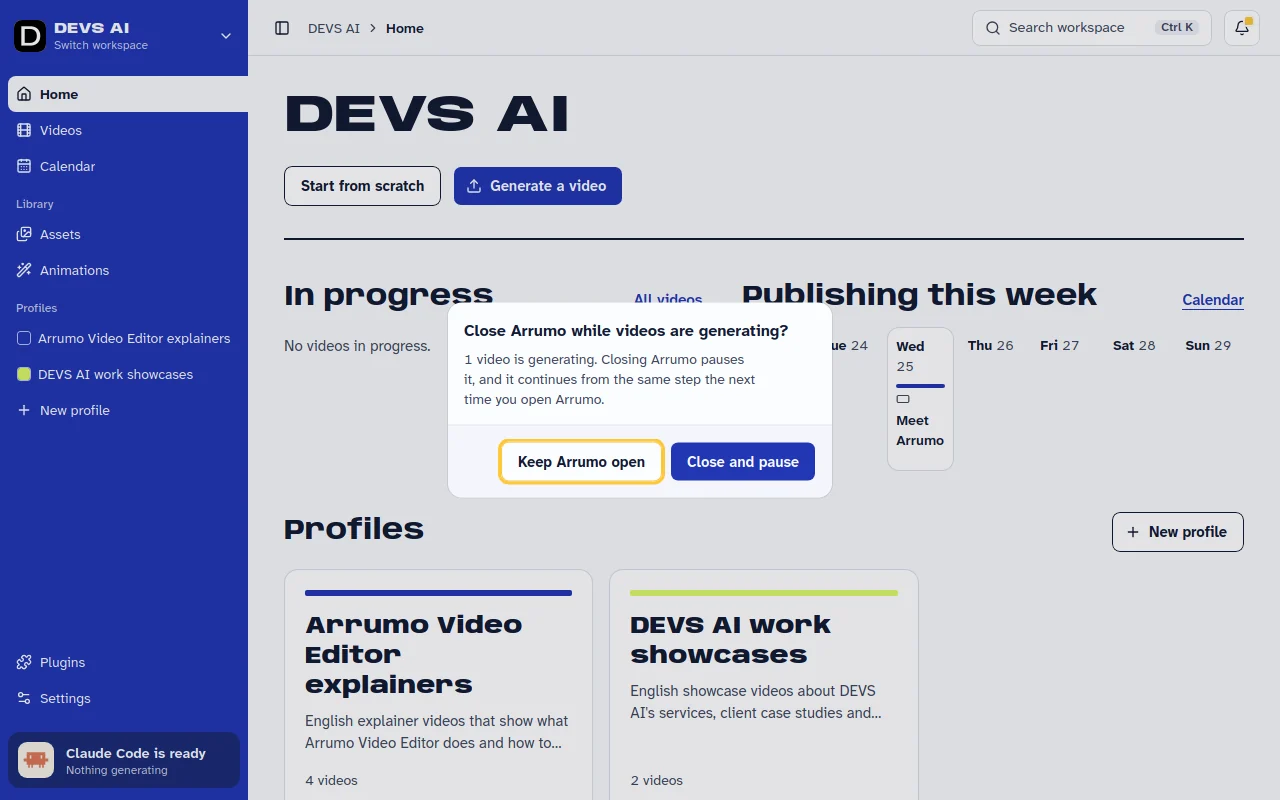
Closing the window, or quitting from the menu or dock, while a video is generating asks first. Keep Arrumo open goes back to work; Close and pause quits, and each video continues from the same step the next time you open Arrumo. Videos waiting for your review don't count, since nothing is running.
Data and privacy
Settings › General › Data and privacy has two switches, both on by default.
Anonymous usage data counts a few moments that tell DEVS AI which features are used:
| Event | What it carries |
|---|---|
app_started | nothing else |
workspace_created | nothing else |
video_queued | whether Autopilot is on |
video_generated | the agent plugin, whether Autopilot was on, and the number of formats |
media_generated | image, audio or video, the provider plugin, and for images how many |
plugin_installed | the plugin ID |
backup_exported | nothing else |
Each event also carries a random ID for this install, made when Arrumo first opened, plus a per-launch session ID, the app version and the operating system. It is never tied to you, and never includes your videos, files, prompts, text, file names or keys. Usage data goes to Aptabase, which does not use cookies or fingerprinting.
Crash reports send the error and the app version to Sentry when something breaks, in the app or in its interface. Reports leave out your user and computer names, cut file paths to file names, remove path-like words from messages, and never include memory dumps, the steps before the error, or your content.
Turning a switch off stops it at once, including for errors that happen before Arrumo finishes opening. Builds you compile yourself send nothing.