 Arrumo AI Video Editor
Build an animation library
Generate reusable on-brand animations, such as a logo sting, an end card and a lower third, that the agent drops into any video.
Animations holds overlays and transitions the agent can reuse in any video. Each one has a looping preview, a thumbnail sheet of six moments and a note on when to use it. Building a few before your first video gives every video the same opening, closing and labels.
Generate an animation
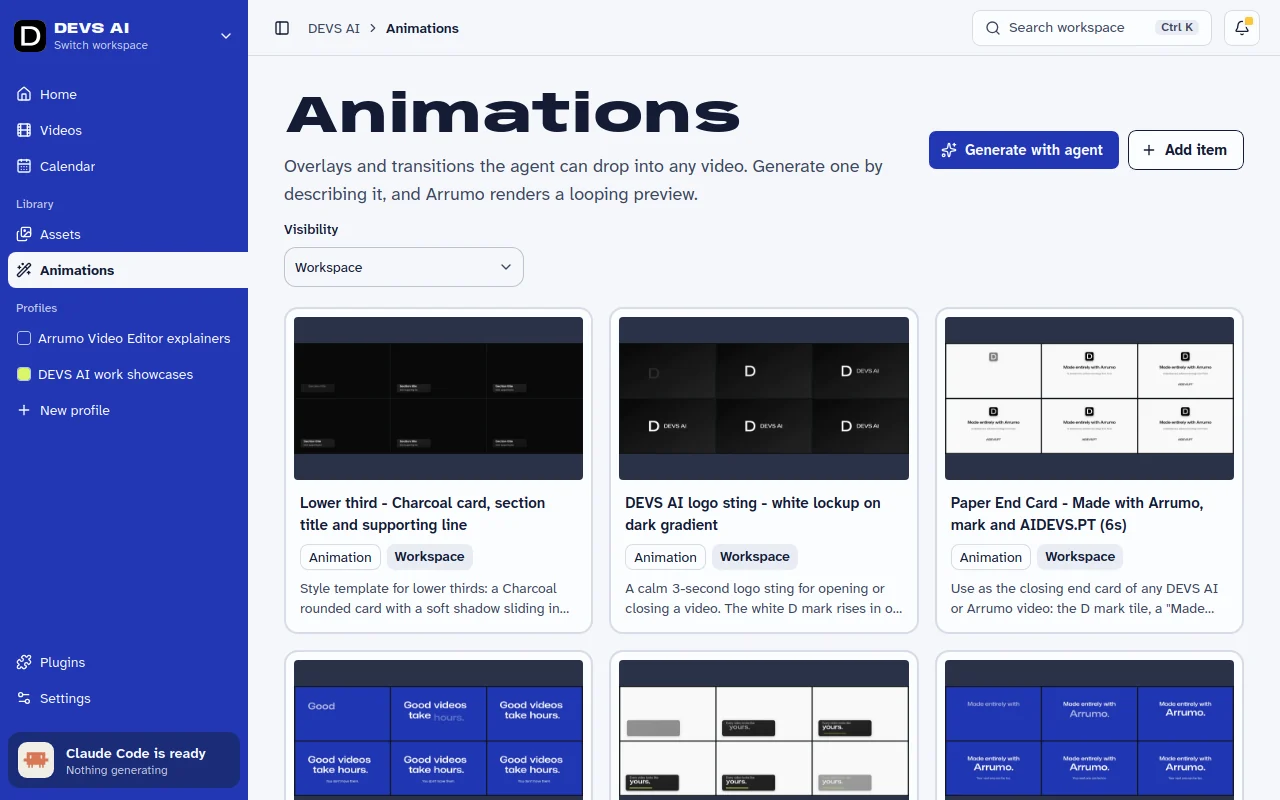
Open Animations in the sidebar and choose Generate with agent. Under What should it show?, describe the piece in plain words: what appears, which brand colors and logos, the timing and where it will be used. The agent designs it with your brand colors, fonts and brand assets, and Arrumo renders the preview. It can take a few minutes.
Three pieces most workspaces need, with requests that worked well:
- Logo sting: "About 3 seconds, to open or close a video: on an Ink to Charcoal gradient, the mark rises in with a soft shadow, then the wordmark appears beside it as a white rounded card. Calm, generous space, no other text."
- End card: "About 6 seconds on a Paper background: the mark at the top, a heading-font headline, one short body line and the URL wordmark as the call to action. Staggered, gentle entrances, centred."
- Lower third (a style template): "About 5 seconds, to name a topic or a speaker: a Charcoal rounded card with a soft shadow sliding in from the left near the bottom-left safe area, a white heading line and a Mist body line inside it. No sound."
Name colors as your Brand page names them, and name logos as the brand assets are called. The agent places those files as they are.
Check and change it
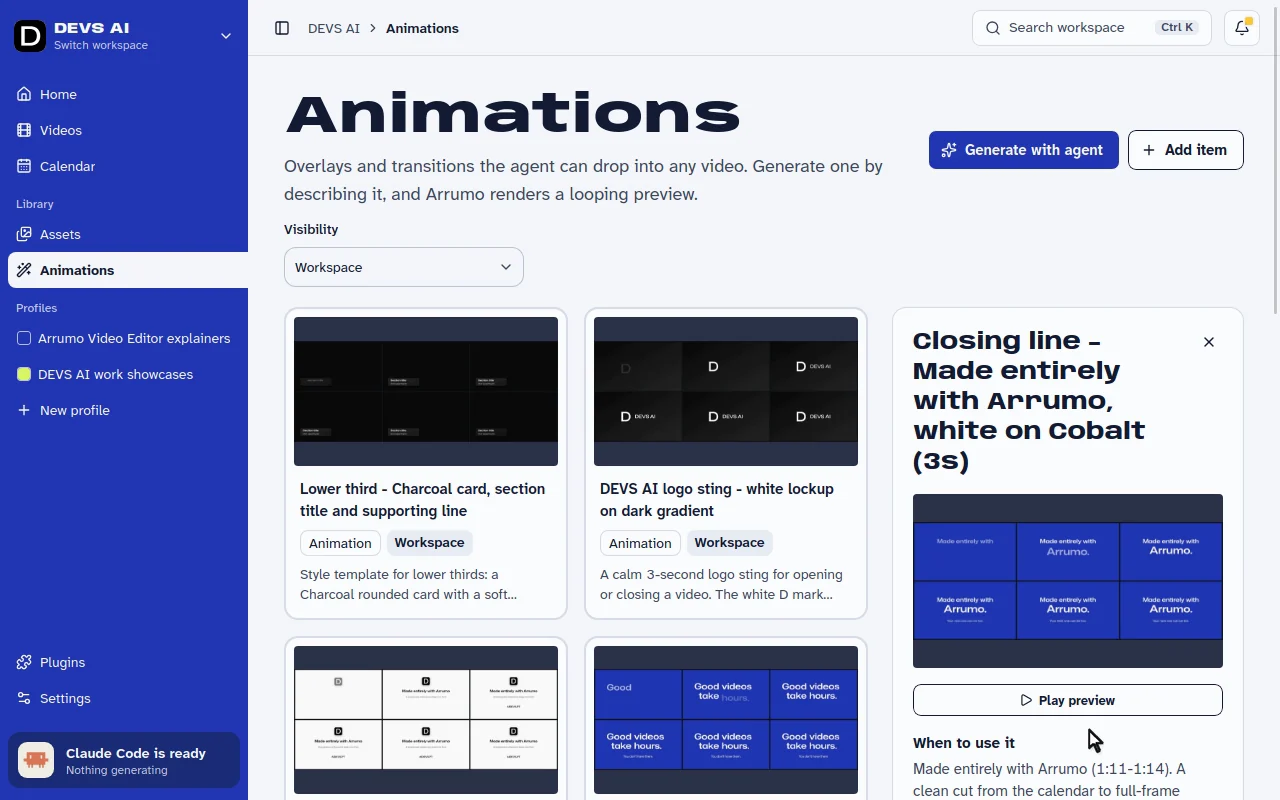
Open an item to play its preview and read its usage note. When something is off, choose Change with agent and say only what should change, such as "hold the end card one second longer" or "make the wordmark card smaller". The agent saves the result as a new item and leaves the original as it was, so you can compare them and delete the one you don't want. Duplicate item copies an item, for example to edit its usage note for another purpose.
Who can use it
Visibility filters the library by the whole workspace or one profile. Items made for the workspace are available to every profile. To give a profile's item to others, use Share with profiles.
In videos
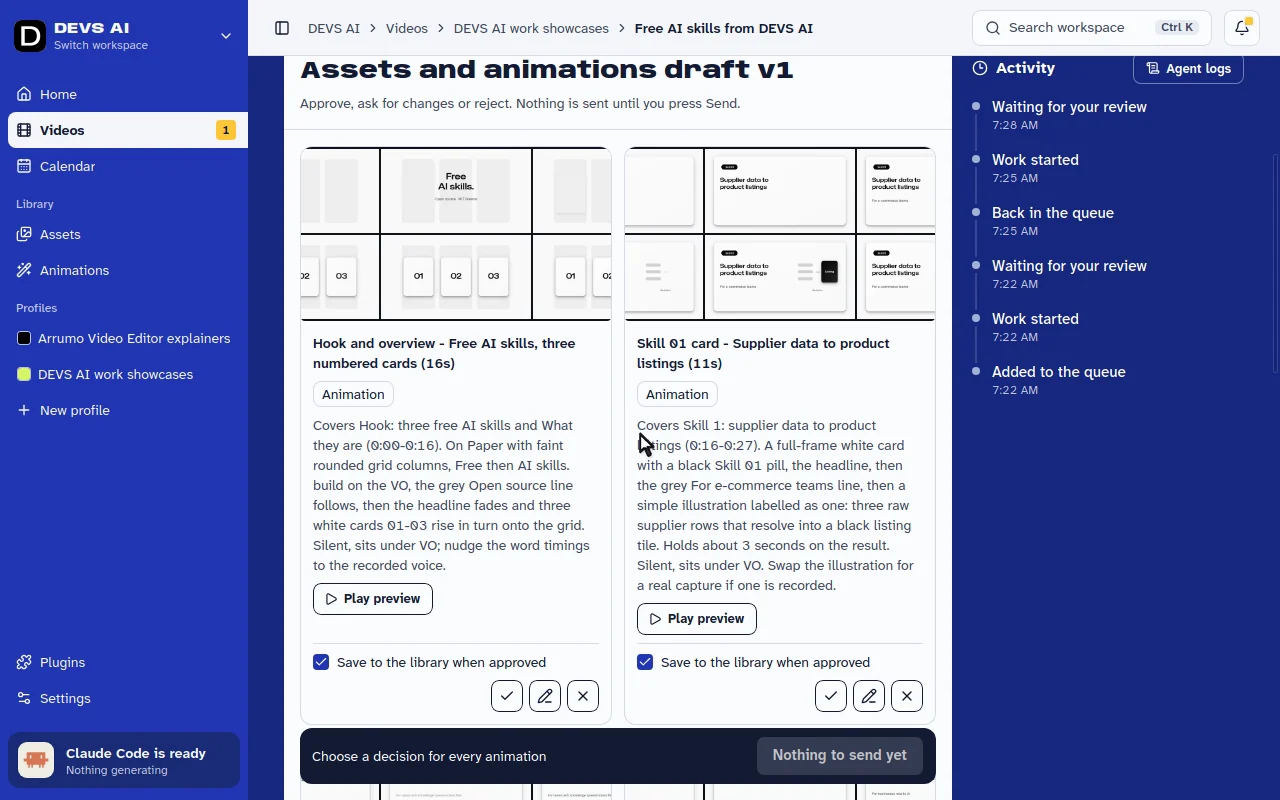
During a video's Assets step, the agent places library items that fit the script as they are, such as the sting to open and the end card to close. For anything with words that change from video to video, such as lower thirds, it designs new animations and follows the layout, colors, fonts and timing of your library pieces that do the same job.
So keep fixed text in library items, and treat pieces such as a lower third as style templates: say in the usage note that their words are placeholders.
With an agent
Agents can do the same through MCP, the command line or A2A: generate_motion_library_item takes the request (and basedOn to change an existing item), and list_motion_library, duplicate_motion_library_item and set_motion_library_shares manage the library. The motion reference describes the layers, shapes and fonts an animation can use.